
Friends, has your brand-new, shiny laptop suddenly started running as slow as a turtle? You’ve got only one Chrome tab open on the screen, yet the fans are whining like you’re playing a heavy game! And as soon as you open Task Manager, CPU and Disk Usage are at 100%? Don’t panic—there’s nothing wrong with your hardware. The real game is running in the background! Some ‘Hidden’ scripts have infiltrated your system and are stealing your data and processing power. Today, I’m going to give you a ‘Ninja Technique’ and a 1-Click Hidden Virus Cleaner Script that will eliminate these silent killers one by one—without slowing down your PC!
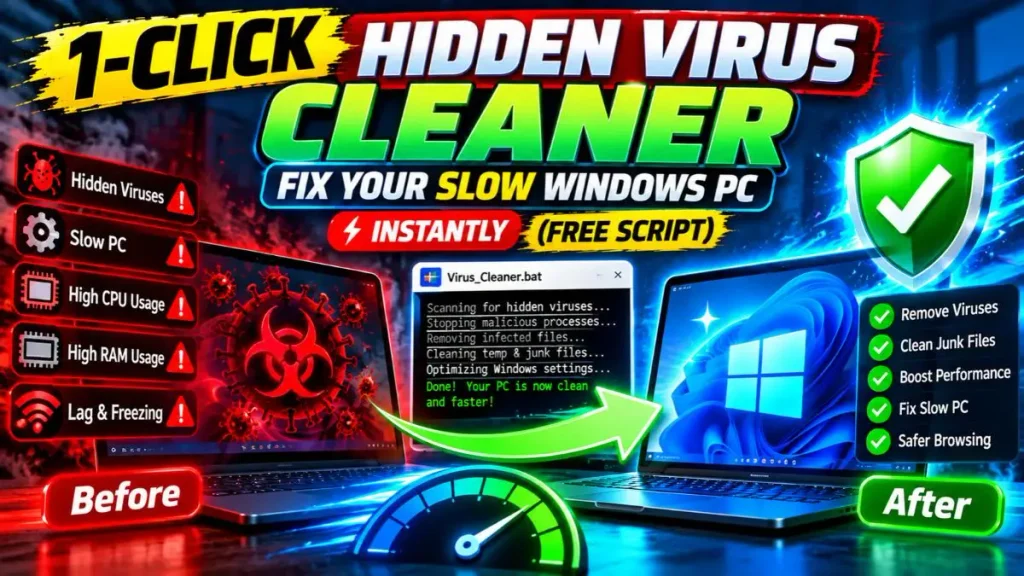
The Core Issue: Who is Secretly Stealing Your PC’s Speed?
Whenever the system hangs, an average user first starts deleting their files or running an expensive antivirus scan. But did you know that 90% of today’s adware and malicious scripts hide in the darkest corner of your PC? The one we call the Windows Temporary (%TEMP%) folder.
Hackers have become very smart. They leave tiny secret files in your PC in .vbs, .js, or .wsf formats. When you turn on your laptop, these files automatically run and put your processor to work on background crypto-mining or data-stealing. Heavy antivirus programs can’t catch them because they’re disguised as normal system files.
The Ultimate Solution: To completely remove them, we need something that attacks only these hidden folders. Our custom 1-Click Malware Hunter Script does exactly that. It goes straight to the location where the virus is hiding!
Also Check This: 1-Click Game Booster Script: Boosts FPS & Stop PC Game Lag Instantly
Cracking the Code: How This Script Destroys Viruses
To demonstrate technical originality, let’s understand each part (line) of this script:
- for /R “%TEMP%” %%X in (*.vbs *.js *.wsf) do: This is the script’s “Radar System.” It dives straight into the %TEMP% directory and scans only those files in script formats (.vbs, .js). It ignores junk files.
- set /a threat_count+=1: This is a tracker. As soon as it finds a malicious file, it increments the count so you get an exact report of how many viruses were found.
- set /p user_cmd=… (Y/N): This is the tool’s “Safety Lock.” Without your consent (by not typing Y), the script won’t delete even a 1 KB file. You are in full control.
- del /f /q “%%X”: When you press ‘Y’, this command forcibly (/f) and quietly without showing errors (/q) permanently removes (deletes) all detected files in bypass mode.
Also Check This: 1-Click Hibernate Space Saver Script: Instantly Free Up C Drive Storage
Why This 1-Click Scanner Beats Traditional Antivirus?
Why does this small script beat the bulky antivirus programs on the market? Here are the solid reasons:
- Precision Strike: It doesn’t waste hours scanning your entire hard drive (Games, Movies). It only strikes where the virus’s source code is.
- Ultra Lightweight: It’s only a few bytes in size. No heavy installation, no background RAM consumption.
- Zero Automation (You Decide): It doesn’t quarantine files on its own. It shows you a list, and you’re the one who presses the final button!
- Bulletproof System Safety: It doesn’t touch Windows’ core registry or the System32 folder, so there’s no risk of a PC crash.
How to Download the Ready-Made 1-Click Cleaner (ZIP)
If you want to avoid errors with Notepad and extensions, don’t worry. I have already packed this script into an error-free ZIP bundle.
- Step 1: Download the ZIP file by clicking the provided button.
- Step 2: The ZIP format is used so that Chrome or Edge don't mistake the BAT file for a virus and cancel the download.
- Step 3: Save it directly to your Desktop so you can run it with a single click whenever your PC gets slow.
Also Check This: 1-Click Print Spooler Fix: How to Clear Stuck Print Queue in Windows 3 Seconds
Step-by-Step Guide: Unleashing the Script on Your PC
To get 100% benefit from this tool, follow the steps below exactly as they are:
- Step 1: Unzipping the Magic. Right-click on the downloaded folder and select “Extract All...”.
- Step 2: Find the Weapon. Inside the new folder, you will see the 1-Click-Cleaner.bat file.
- Step 3: Elevated Access (VIP Step). Do not make the mistake of double-clicking this script! To give it full power, Right-click and be sure to select “Run as Administrator.”
- Step 4: Analyze the Radar. A black console window will pop up. If any malicious files are running in your background, their details will be printed on the screen.
- Step 5: Nuke the Threats. The screen will ask if you want to delete them. Press Y on your keyboard and hit Enter. (If you don't want to delete anything, type N).
- Step 6: Reboot System. After the ‘Victory’ message appears on the screen, close the window and restart your laptop. Your PC will feel smoother than ever!
Also Check This: 1-Click Windows Auto Repair Tool: Fix BSOD & Missing DLL Errors Without Formatting
Conclusion
Friends, to keep your PC running like new and fast, clearing the cache alone isn't enough. The real problem lies in those hidden files that are eating up your RAM and CPU in the background.
The 1-Click Hidden Virus Cleaner tool we've created today can breathe new life into any slow PC, and that too without formatting it!
How many malicious files did the script catch in your scan? Be sure to let me know your count in the comments! If you think a friend's laptop is always hanging because of a virus, then share this article with them right away.
Disclaimer: Friends, I have thoroughly tested the 1-Click Batch (.bat) script provided in this guide, and it is 100% safe for your system. Still, you should always back up your system before running any technical tweak or CMD script. Apply any unknown changes to your system at your own risk. @TechWaleJha or our website will not be held responsible for any hardware or software issues.